One window to run the whole show.
AtmoDeck opens two windows: the Output your audience sees, and the Console you operate. Its menu has three groups: Weather (the map, space weather, earthquakes and webcams), Broadcast (On Air, the show, slides and graphics) and Setup. It opens on a Dashboard with the day's alerts, headlines for your area, a radial outlook dial for tornado, wind and hail (or flooding and winter) and announcements, plus a search box that finds any setting and a status light that tells you when something is wrong.
Find anything in a click, or in a keystroke.
Search everything
Press Ctrl+K and type. Search covers every page, tab and setting, and jumps straight to it. Map Studio has its own search inside its settings drawer.
Made for 1280 by 1080
The Console opens at the size most people use it at, and resizes down to a compact layout. The menu folds down to icons when you need the room.
One health page
Every data feed, the weather source, the API log, updates, support and the watchdog live together on Status and Health, with a status light in the top bar and a row of on-air lights (radar age, model run, alerts, weather, internet and the output window itself, which the Console flags if it stops reporting).
The alert box
The newest watch or warning sits in the top bar in its own color, with a chime for a new one. Click to drop down every current alert, nationwide or in your area; a row zooms the map to it.
The threat block
Counts of tornado, severe thunderstorm and flood warnings, the day's highest outlook with tornado, hail and wind chances, storm reports so far and tomorrow's category. Switch it to flash flood, winter, fire weather or heat.
Back to normal
One button clears forced themes, rehearsal alerts and overrides and returns AtmoDeck to normal, automatic operation.
One menu, in three groups.
Weather: the Weather Map, Dashboard, Space Weather, Earth & Quakes and Webcams. Broadcast: On Air, Show, Slideshow, Graphics and the Slide Builder. Setup: Look, Places, Content, Sounds, Team, Automation, Keybinds, Health and Keys. Pick a page to see it.
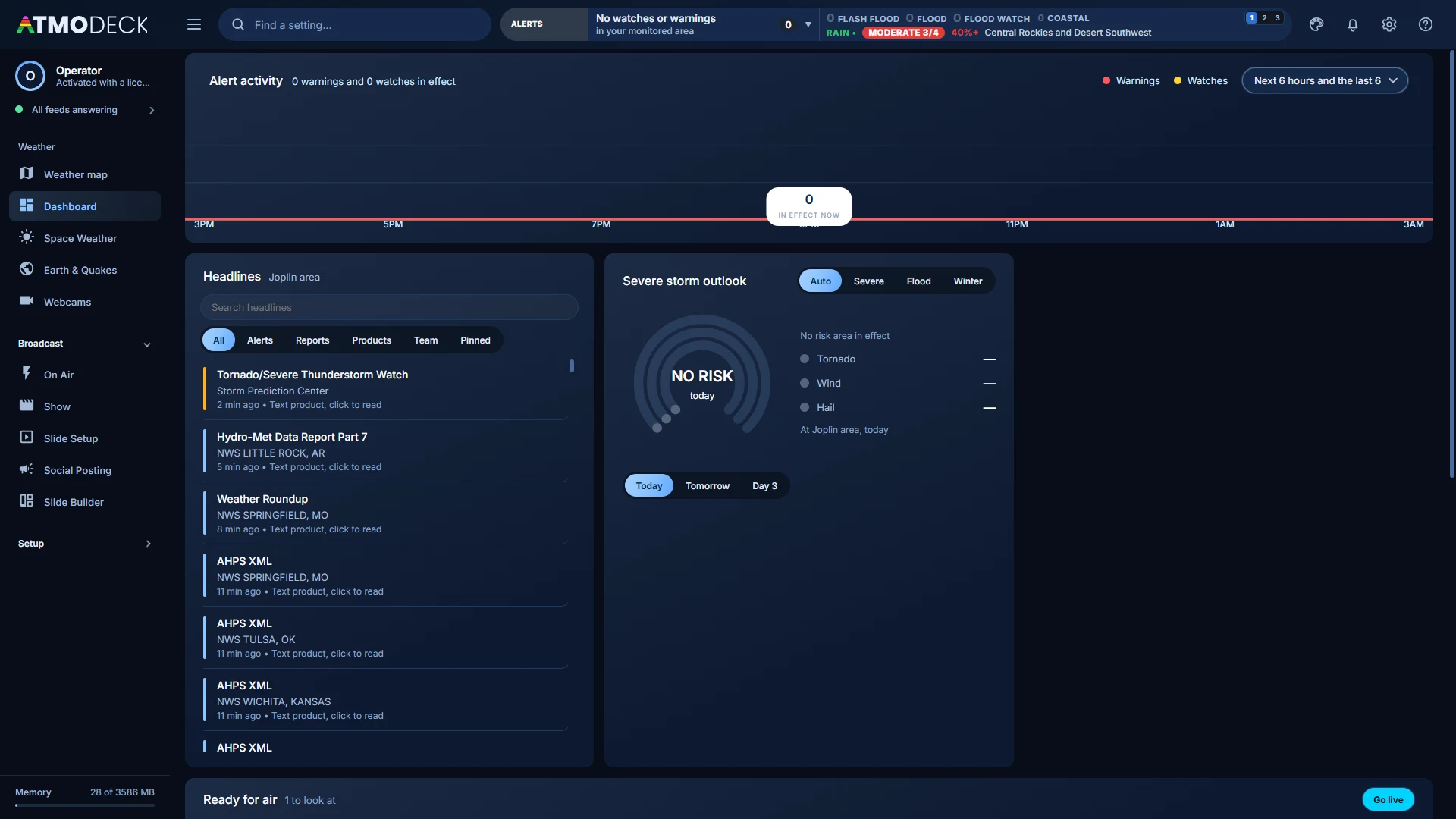
Dashboard: the day at a glance. Headlines, the SPC outlook dial for tornado, wind and hail (it swaps to flood or winter), announcements from us, and every alert in effect for your area.
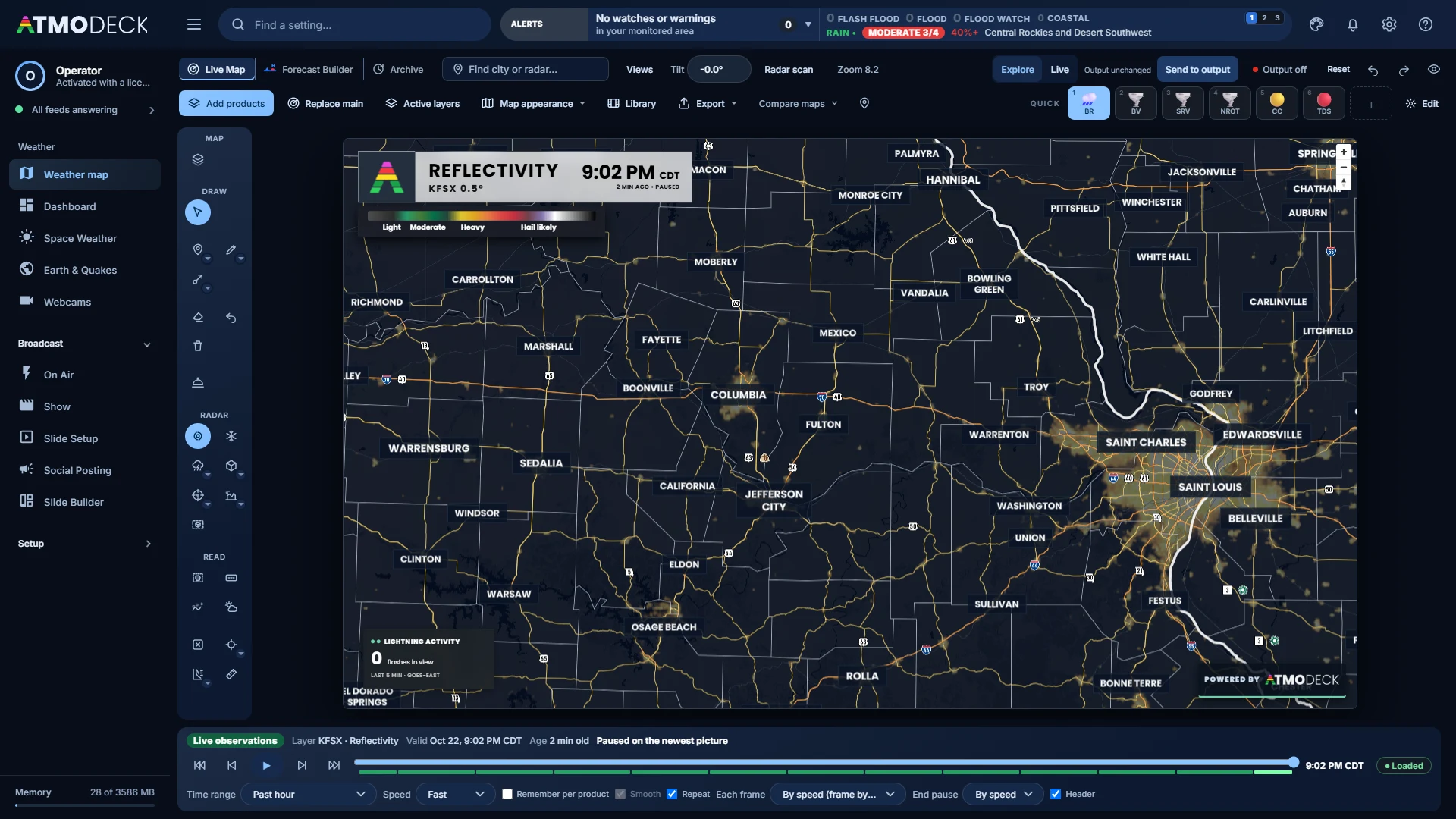
Weather Map: Map Studio in the Console, in three modes (Radar map, Forecast builder and Archive), with the Live / Explore switch, Send to output and Output on / off. More on Map Studio.
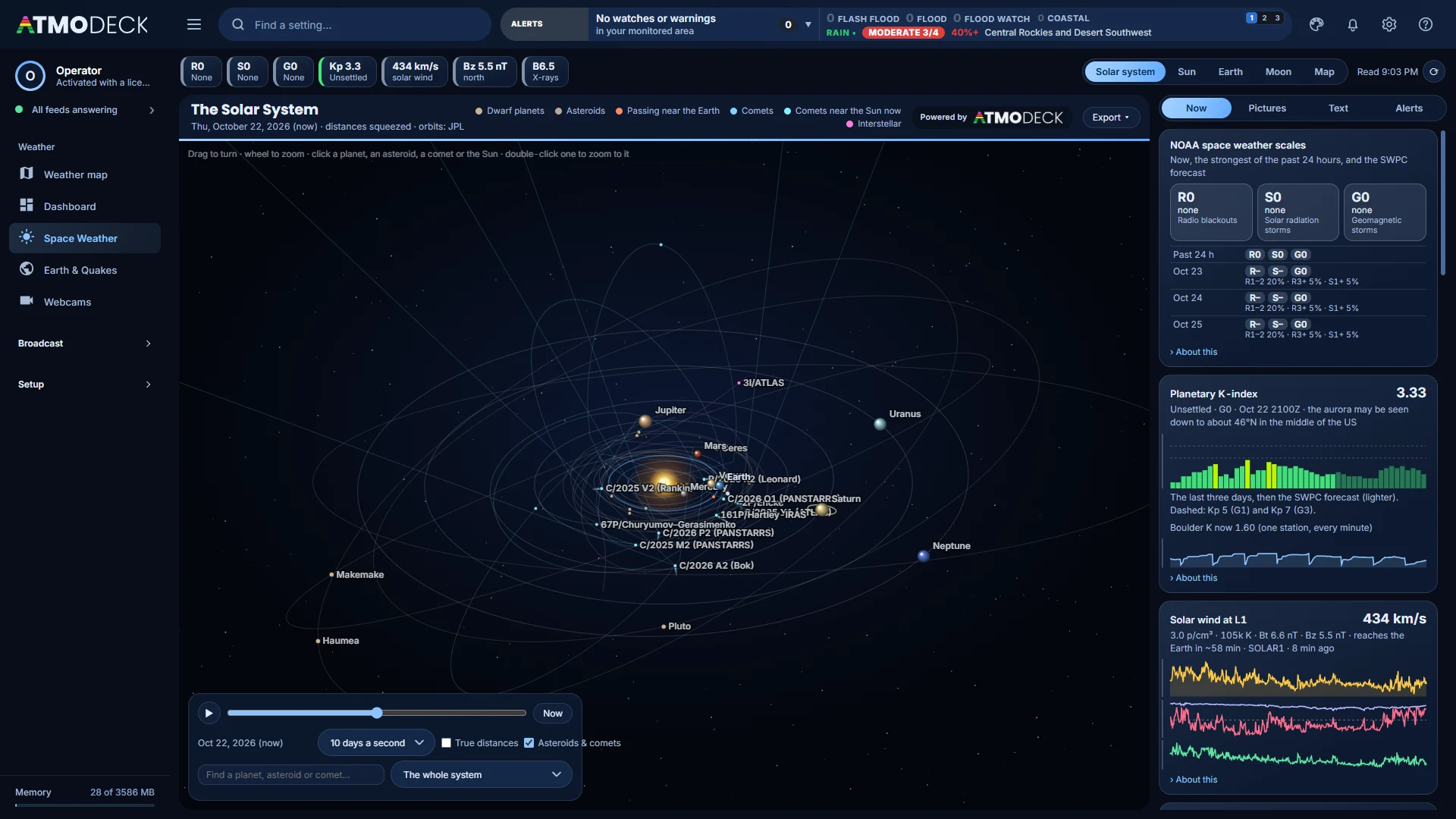
Space Weather: the NOAA scales, Kp, solar wind and X-rays, with views of the solar system, the Sun, the Earth and an aurora map, each exported as a photo, video or GIF. More.
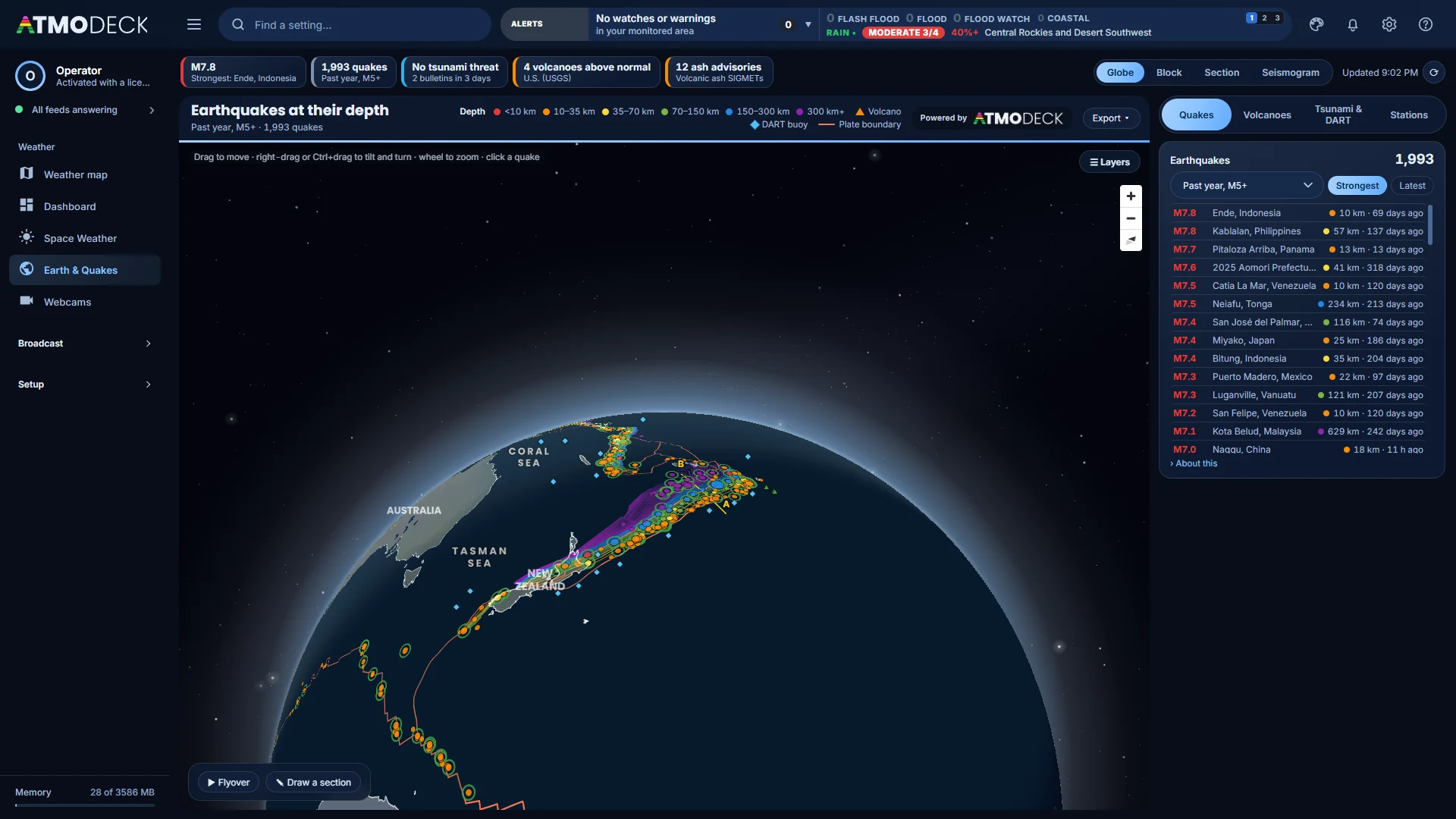
Earth & Quakes: the globe with USGS earthquakes at their depths over the sinking slabs, a block view, cross-sections, flyovers and area surveys. More.
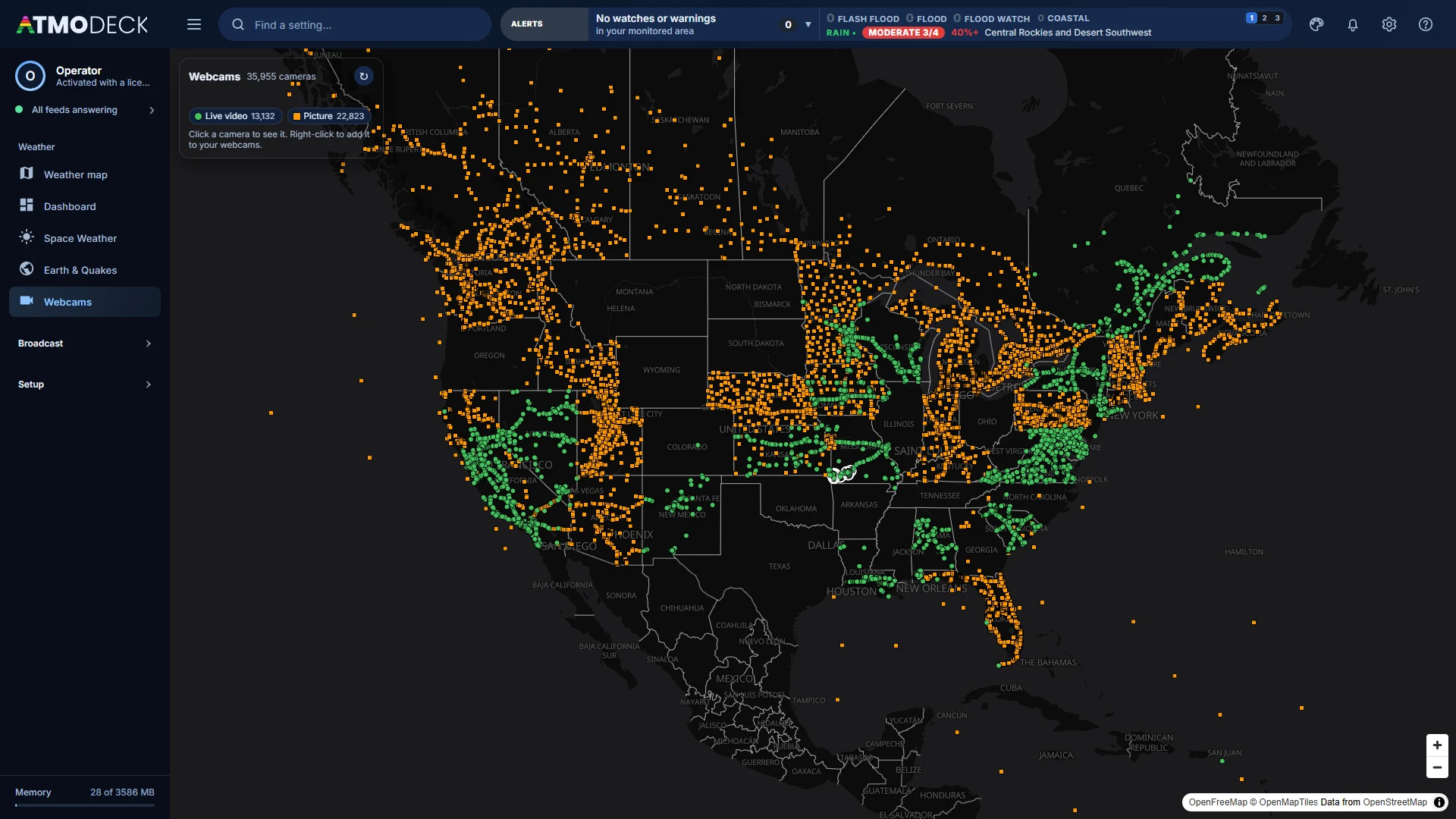
Webcams: DOT and 511 traffic cameras, park and river cameras and Creative Commons live streams on one map, ready to add or put on the Output. More.
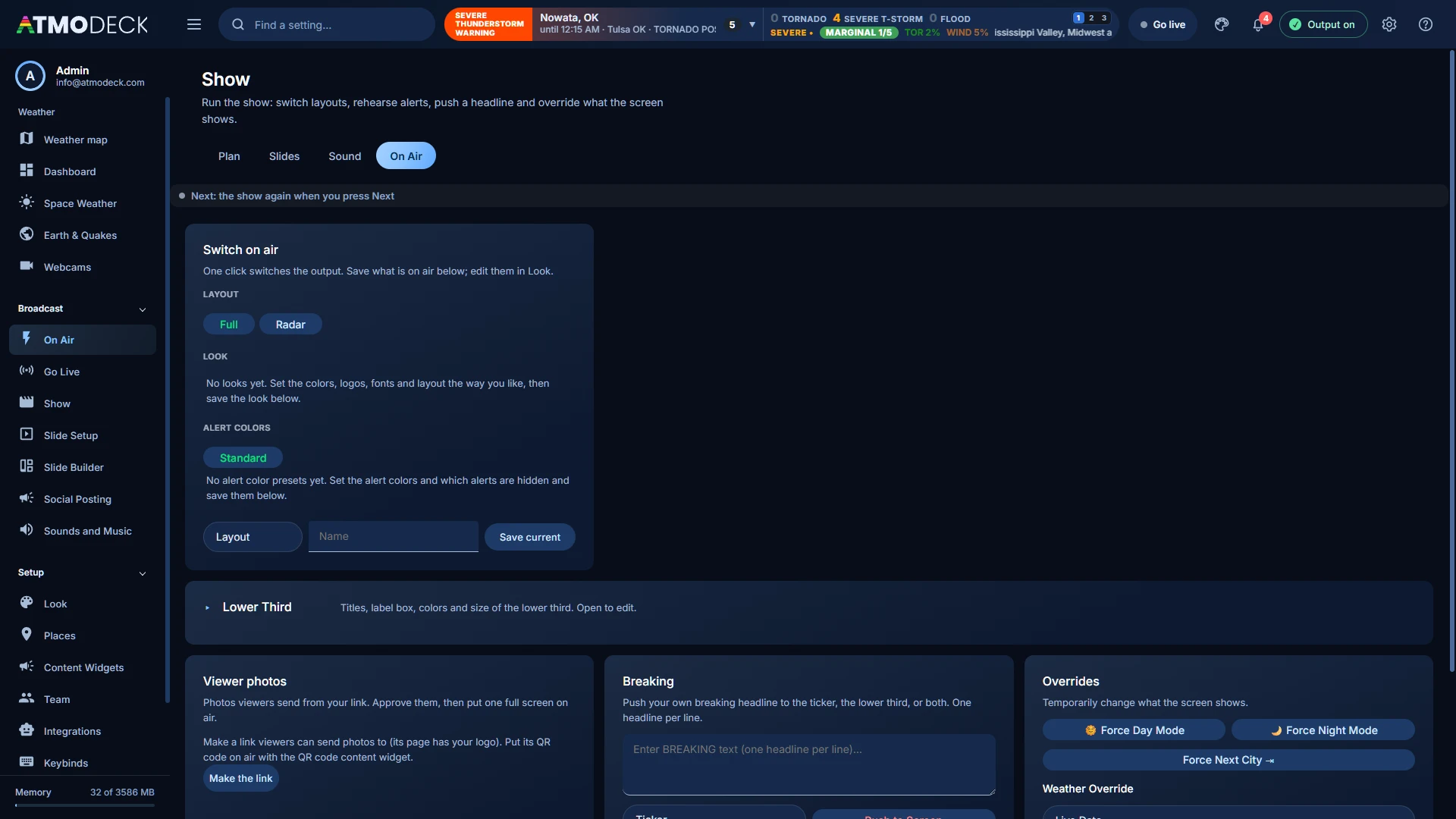
On Air: switch layouts and alert bundles, rehearse alerts, push a headline to the ticker, and override day or night.
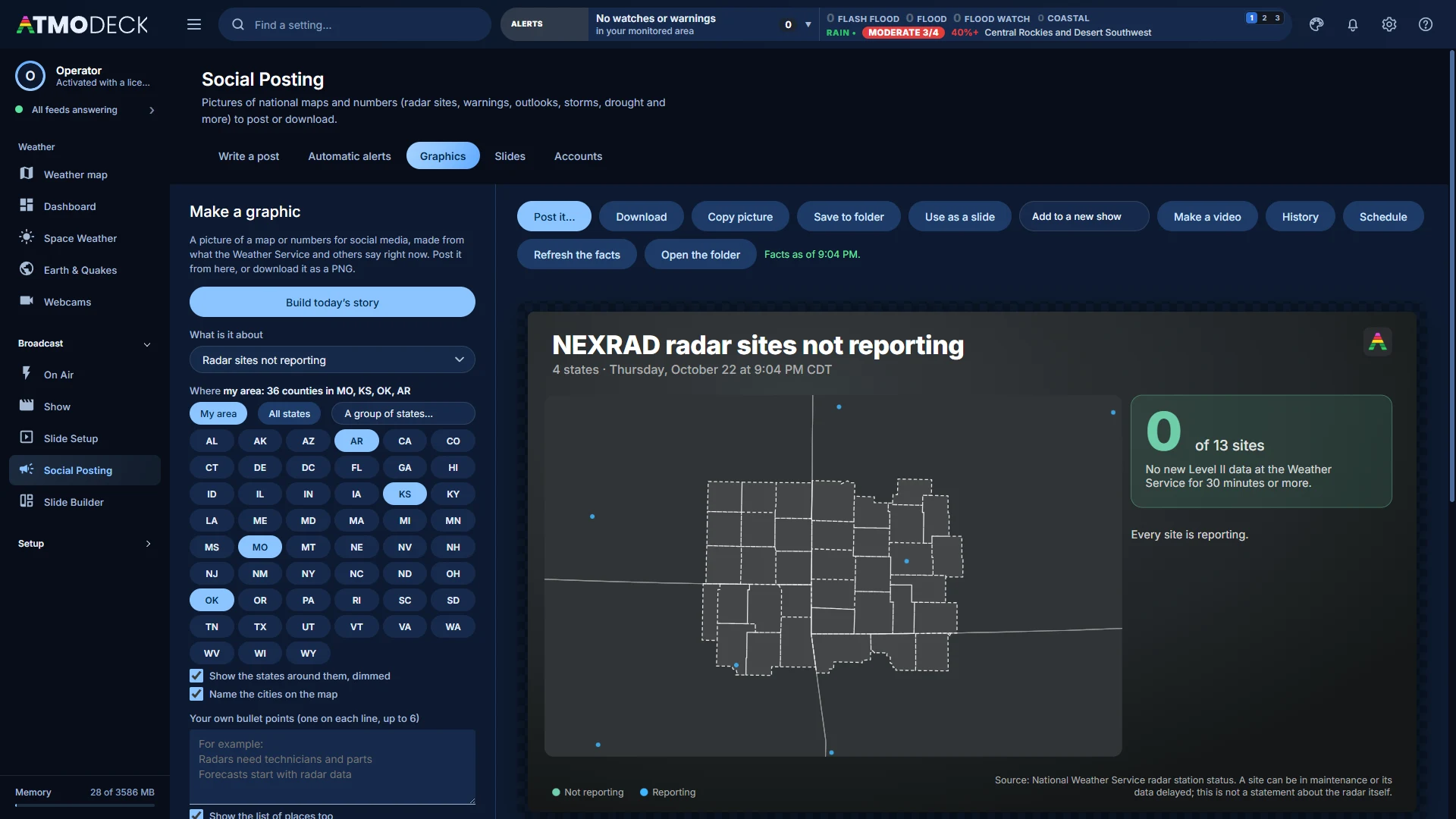
Graphics: pictures of today’s weather for social media in your colors, a short video of any of them, 30 days of history and scheduled posts. More.
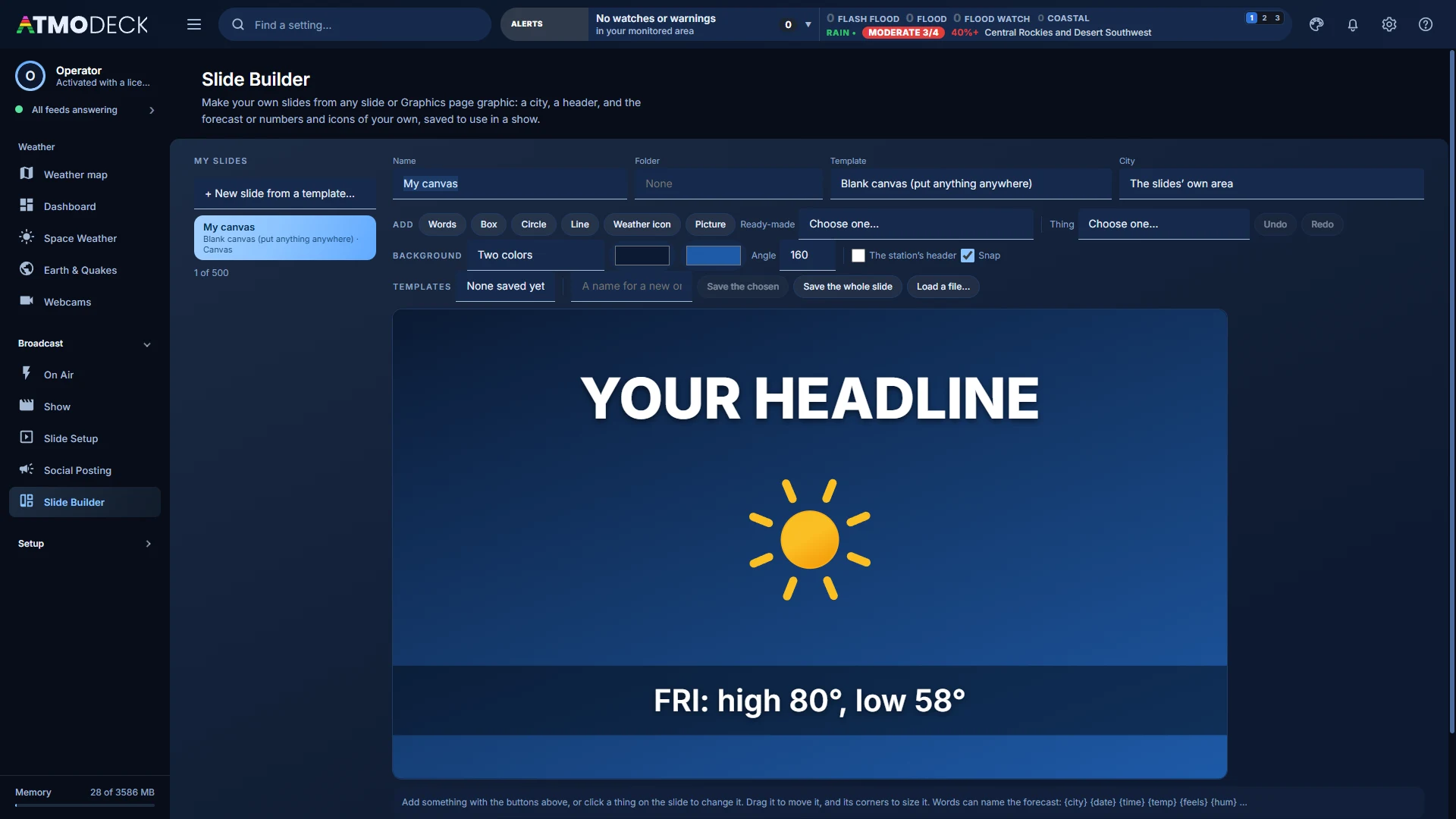
Slide Builder: slides from a template, an empty layout or a blank canvas, with forecast words that fill themselves in. More.
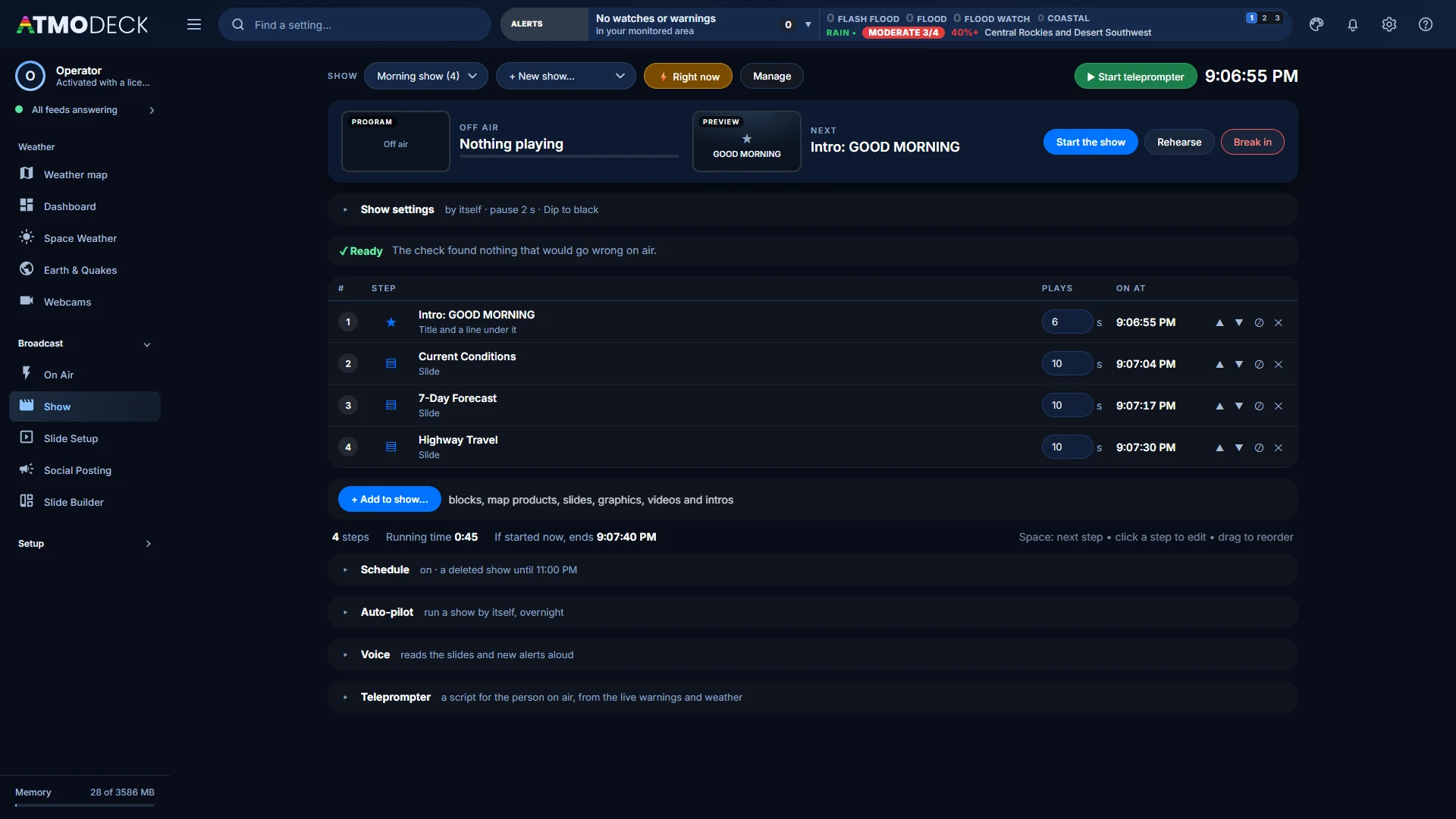
Show: a rundown of blocks, slides, intros and intermissions with the seconds, pause and transition of each and the clock time it will play, played by the clock or step by step with a key. It checks the show before it airs, can end it on time, breaks in to a block and back, and shows the block that is on and the one that is next. Auto-pilot is at the bottom of the page. More on the Show editor.
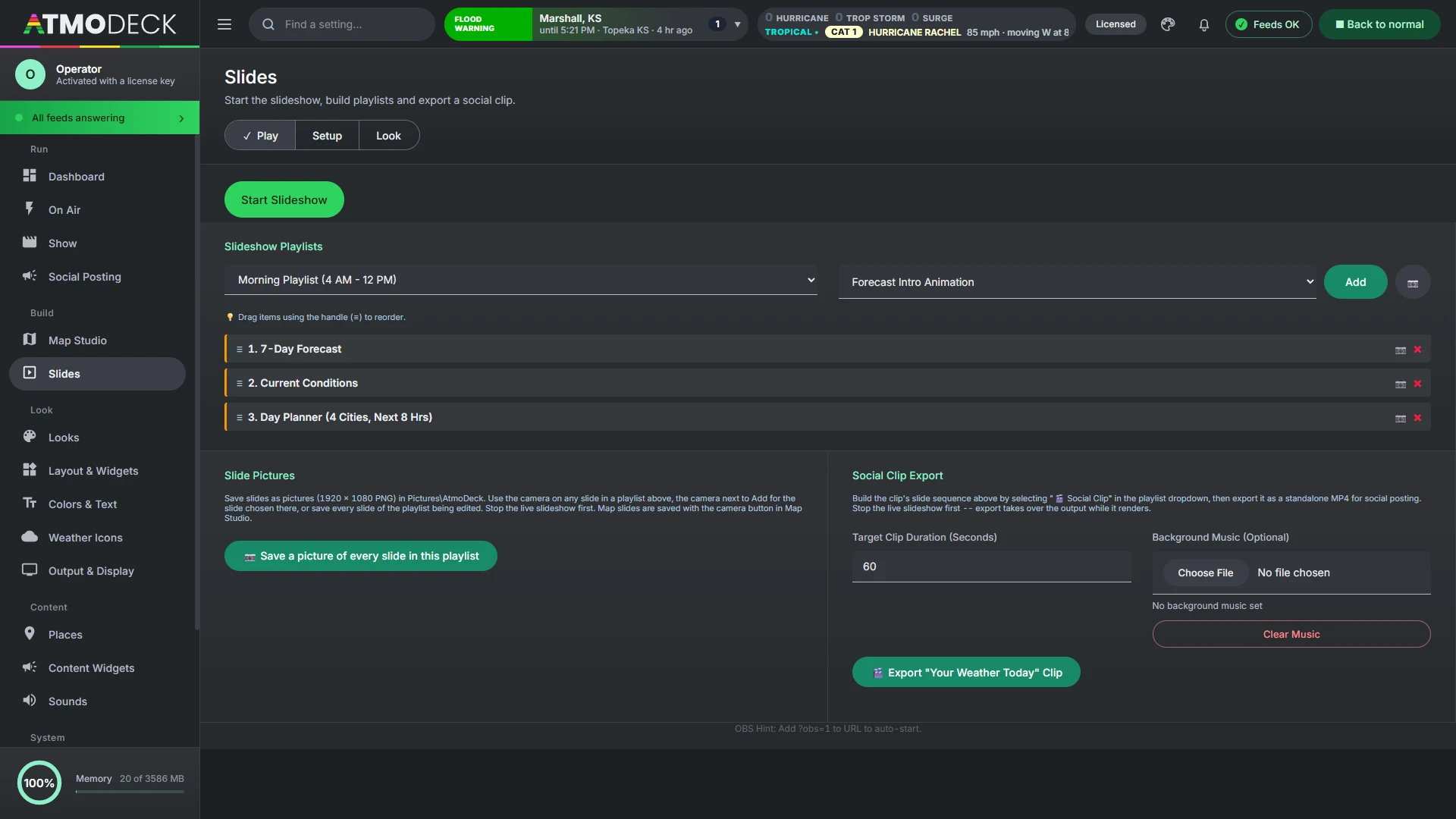
Slides: Play, Setup and Look tabs for the scheduled forecast slideshow, its playlists and the clip export. Its slides can be steps of a show.
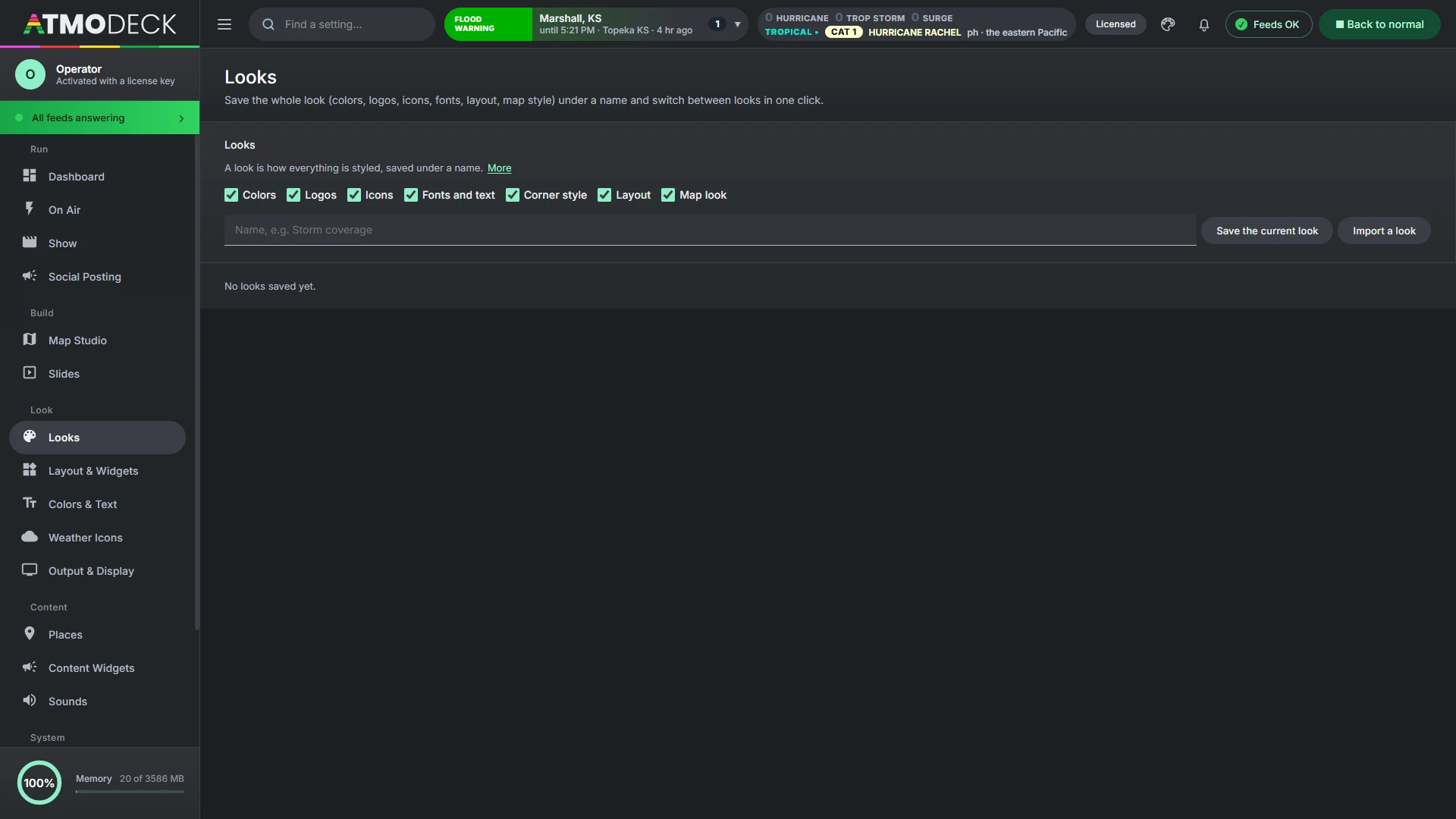
Looks: save the whole styling (colors, logos, icons, fonts, layout style, widget layout, map look) under a name and switch in one click.
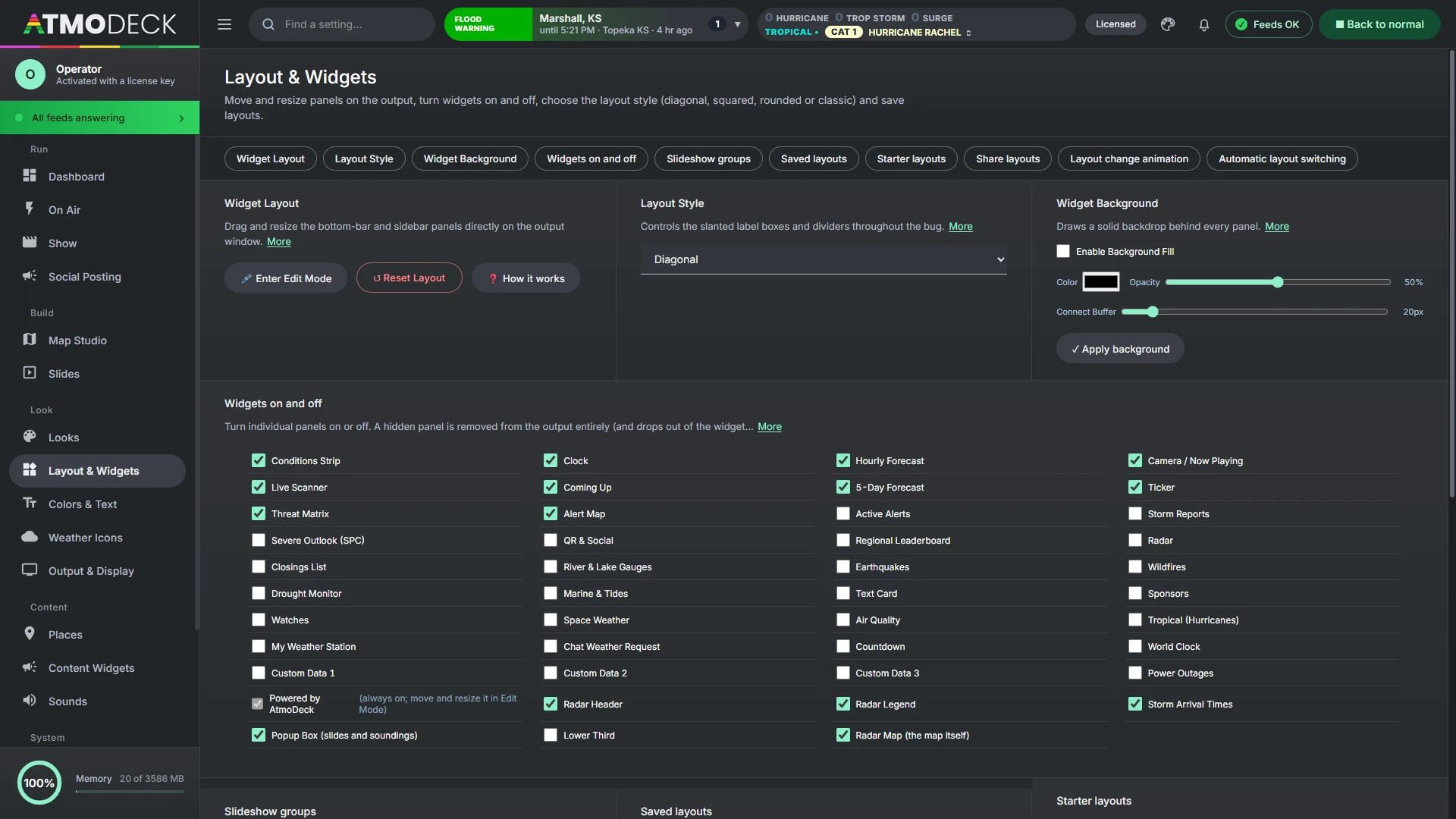
Layout & Widgets: edit mode, the layout style, widget backgrounds, every widget with a checkbox, slideshow groups, saved, starter and shared layouts, and the layout change animation.
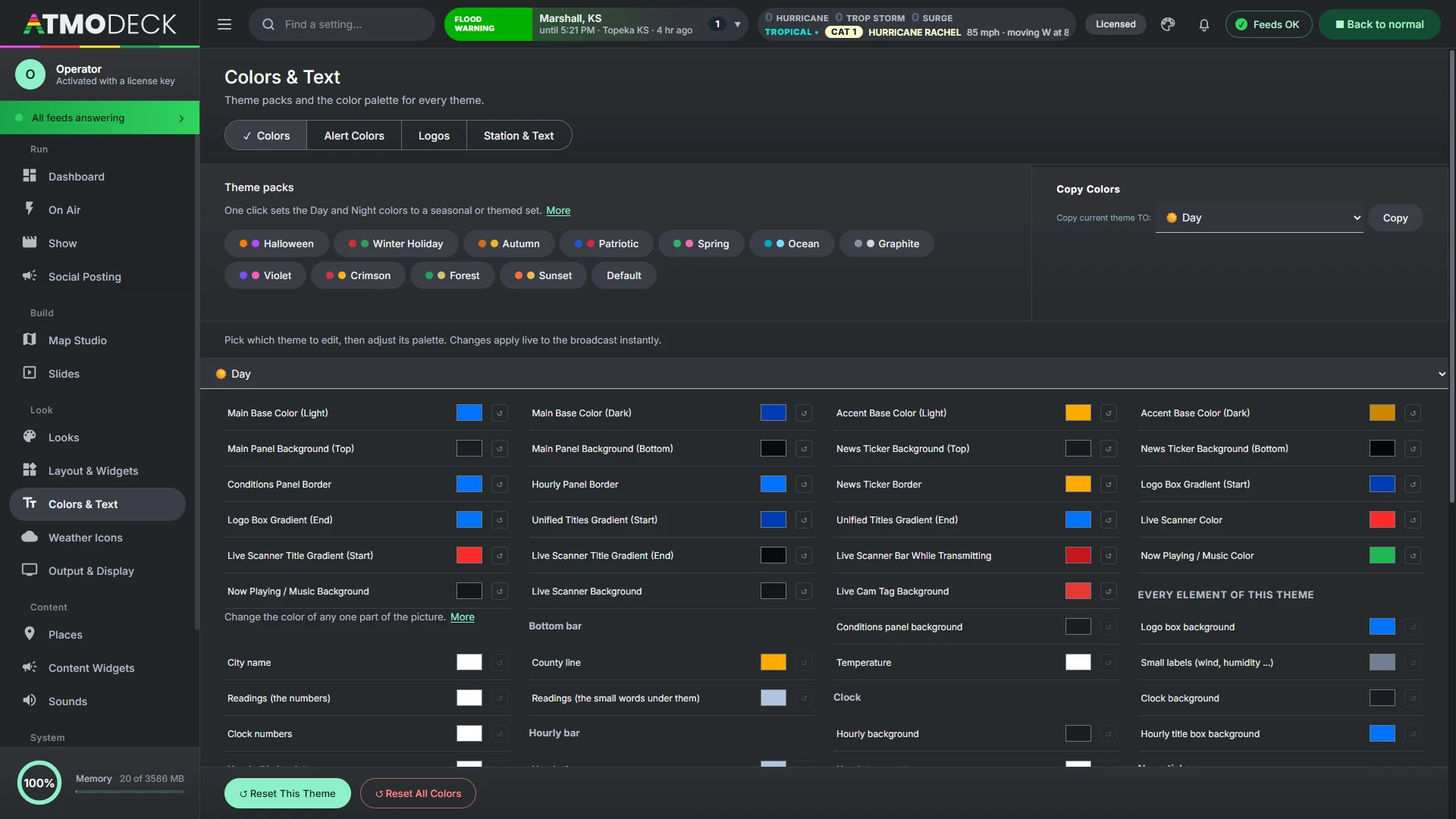
Colors & Text: theme packs and palettes, alert colors, logos, station name, font and rotation speeds.
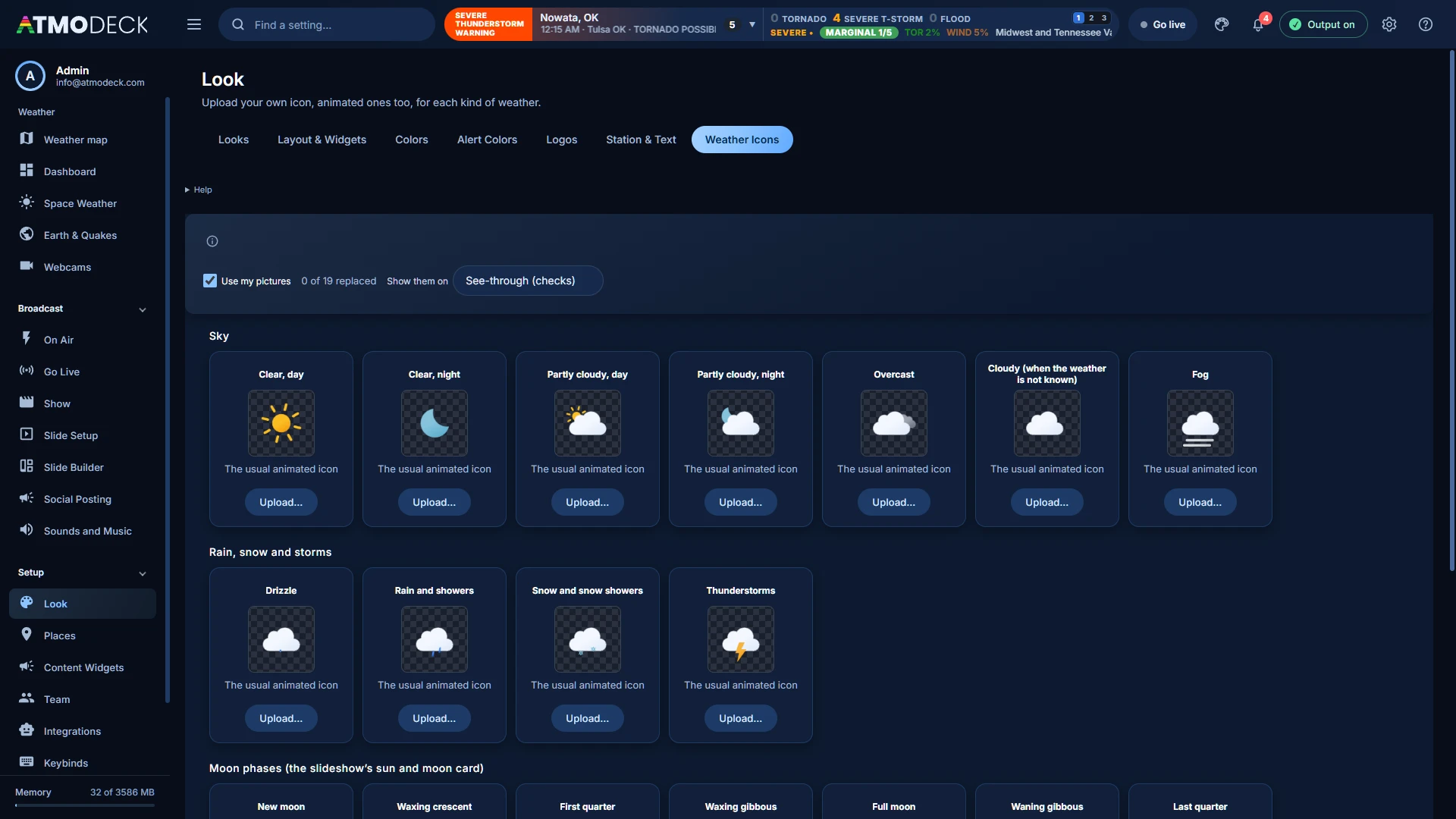
Weather Icons: upload your own picture, animated ones too, for each kind of weather and every moon phase.
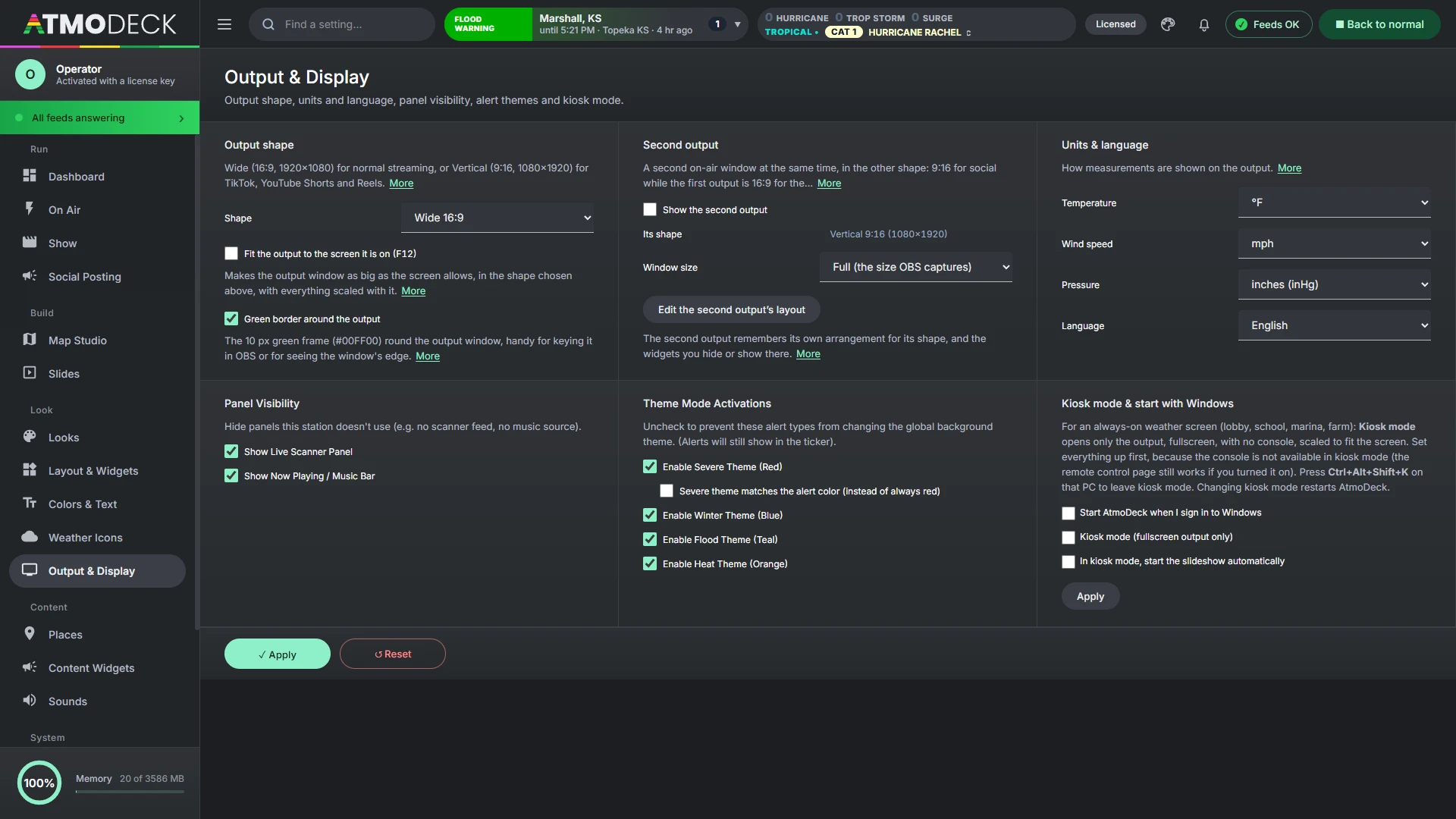
Output & Display: output shape (wide or vertical), a second output in the other shape, units and language, panel visibility, alert themes and kiosk mode.
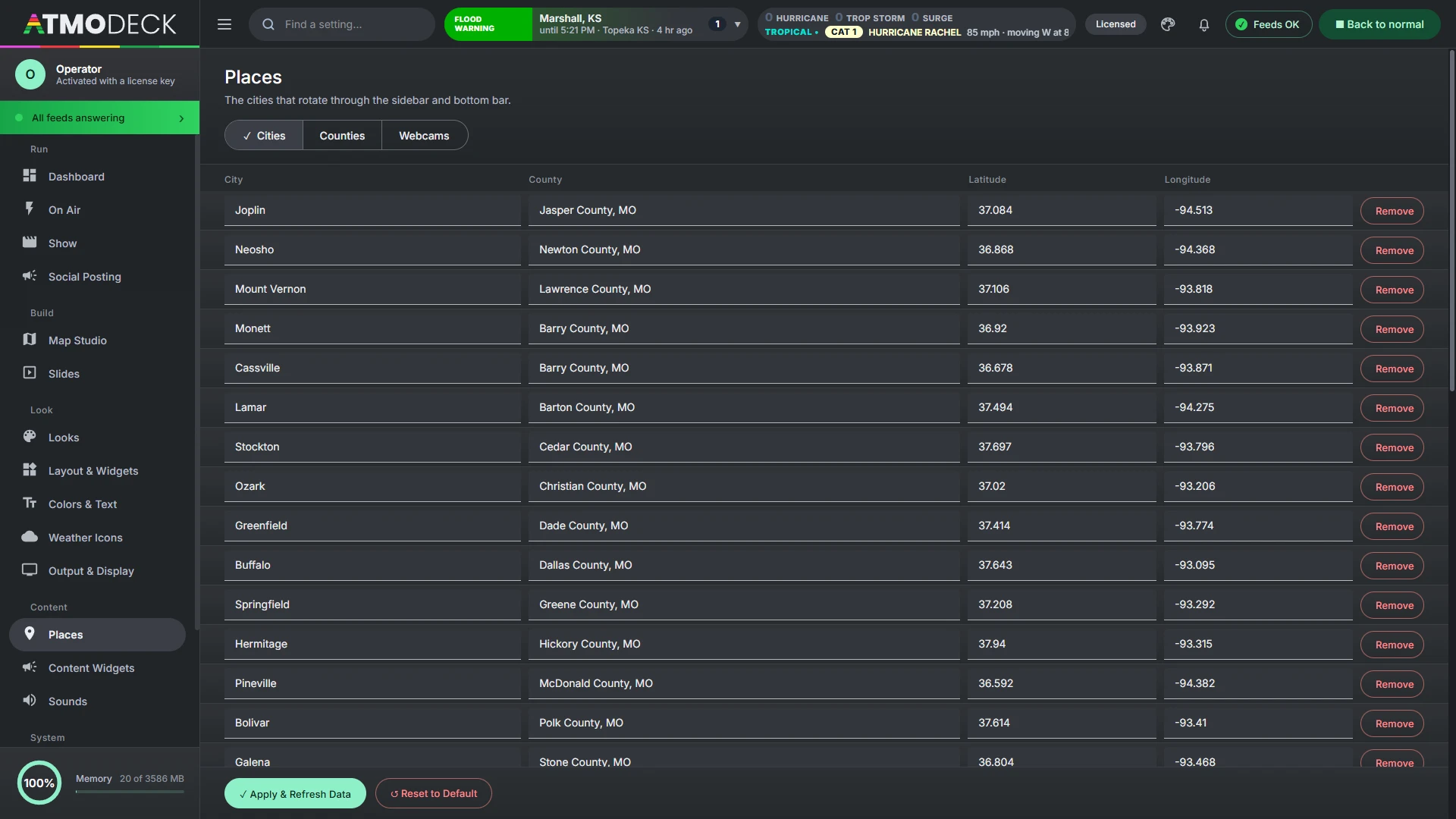
Places: the cities, counties and webcams that define your area.
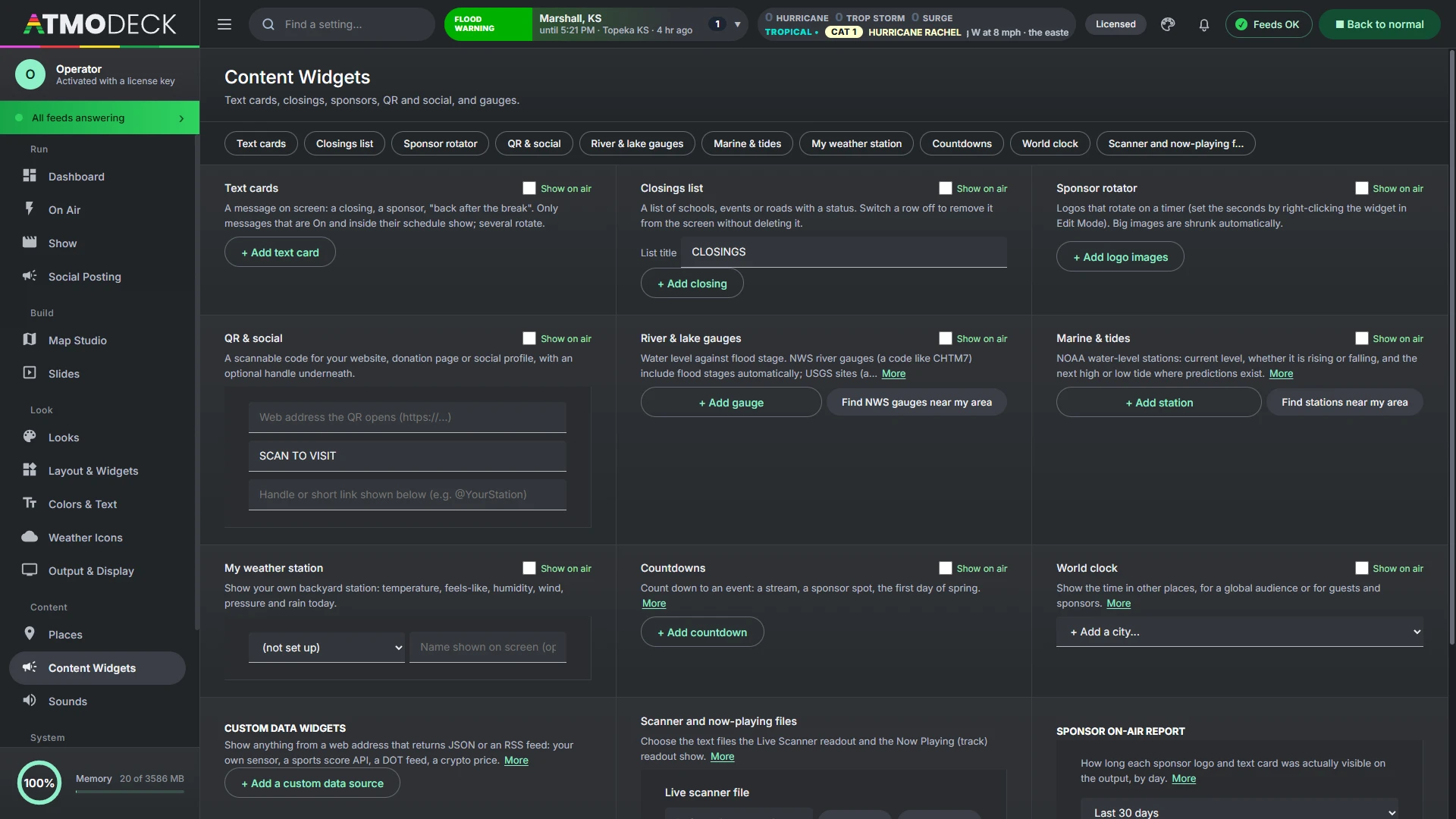
Content Widgets: text cards, closings, sponsors, QR and social, gauges, and the scanner and now-playing files.
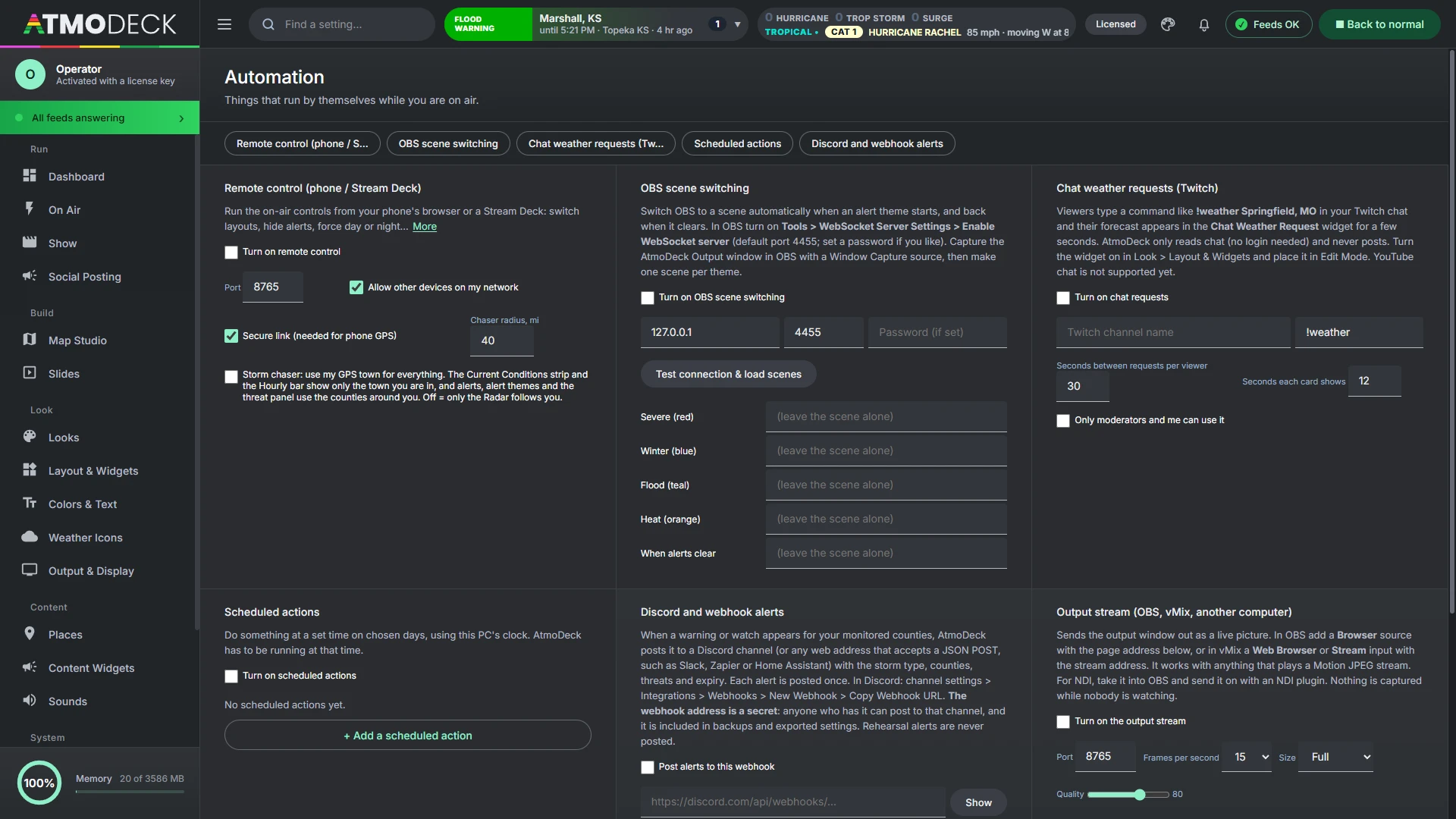
Automation: remote control, storm-chaser mode, Discord and webhook alerts, OBS scene switching, Twitch chat and schedules.
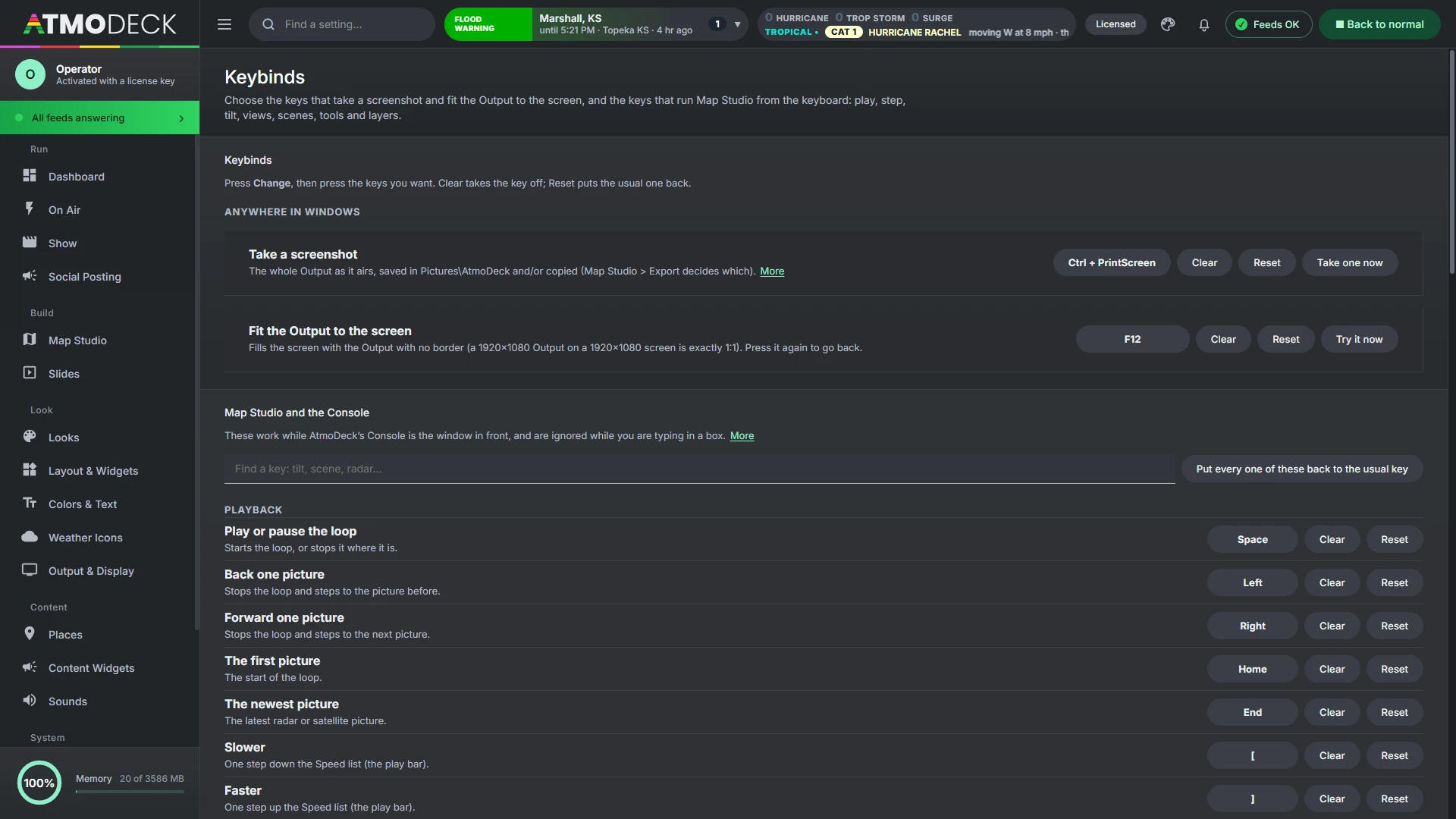
Keybinds: choose the keys that take a screenshot of the Output and fit it to the screen, and they work while another program has focus.
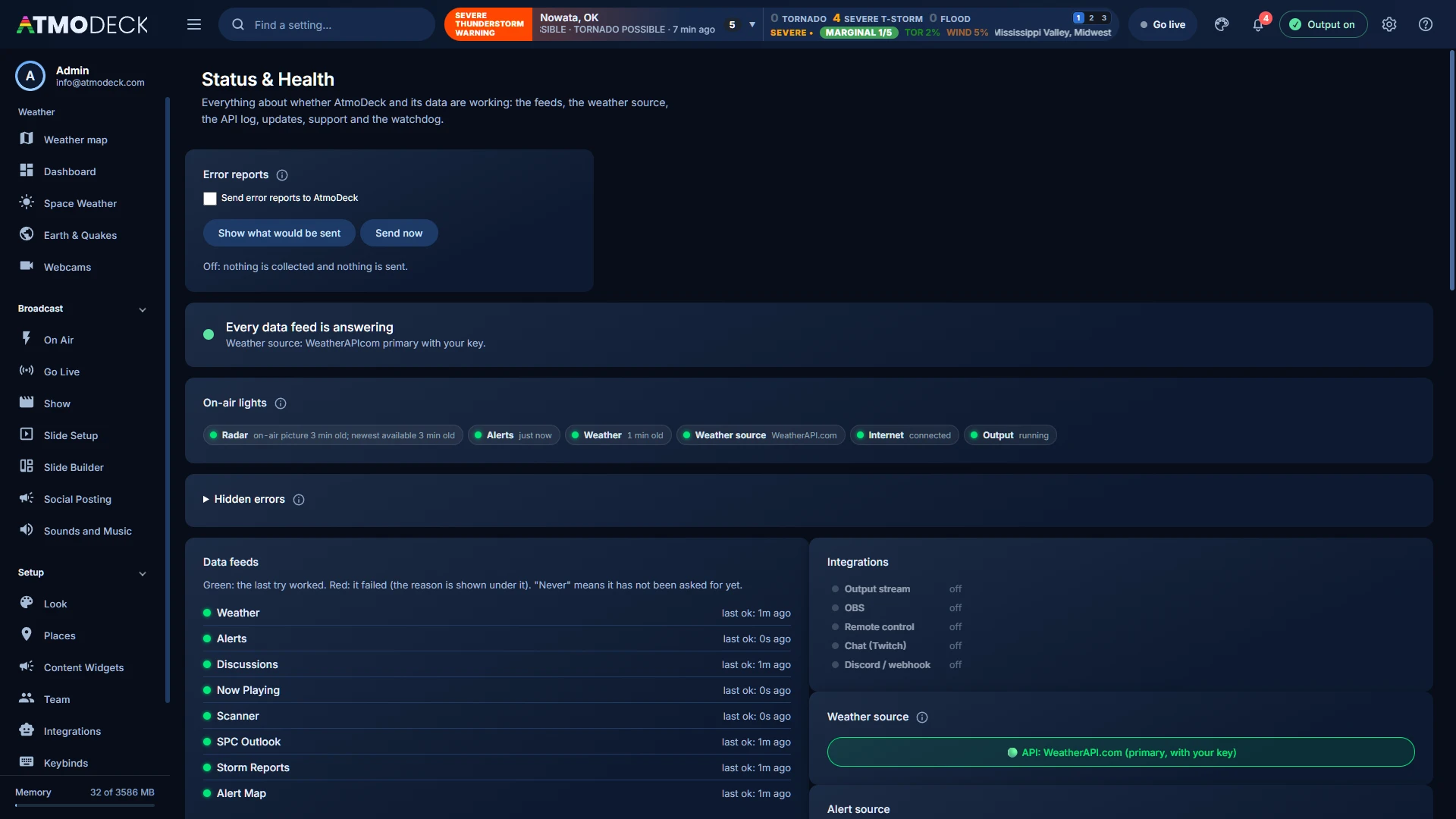
Status & Health: every data feed with the time of its last success, the weather source, watchdog, updates and support.
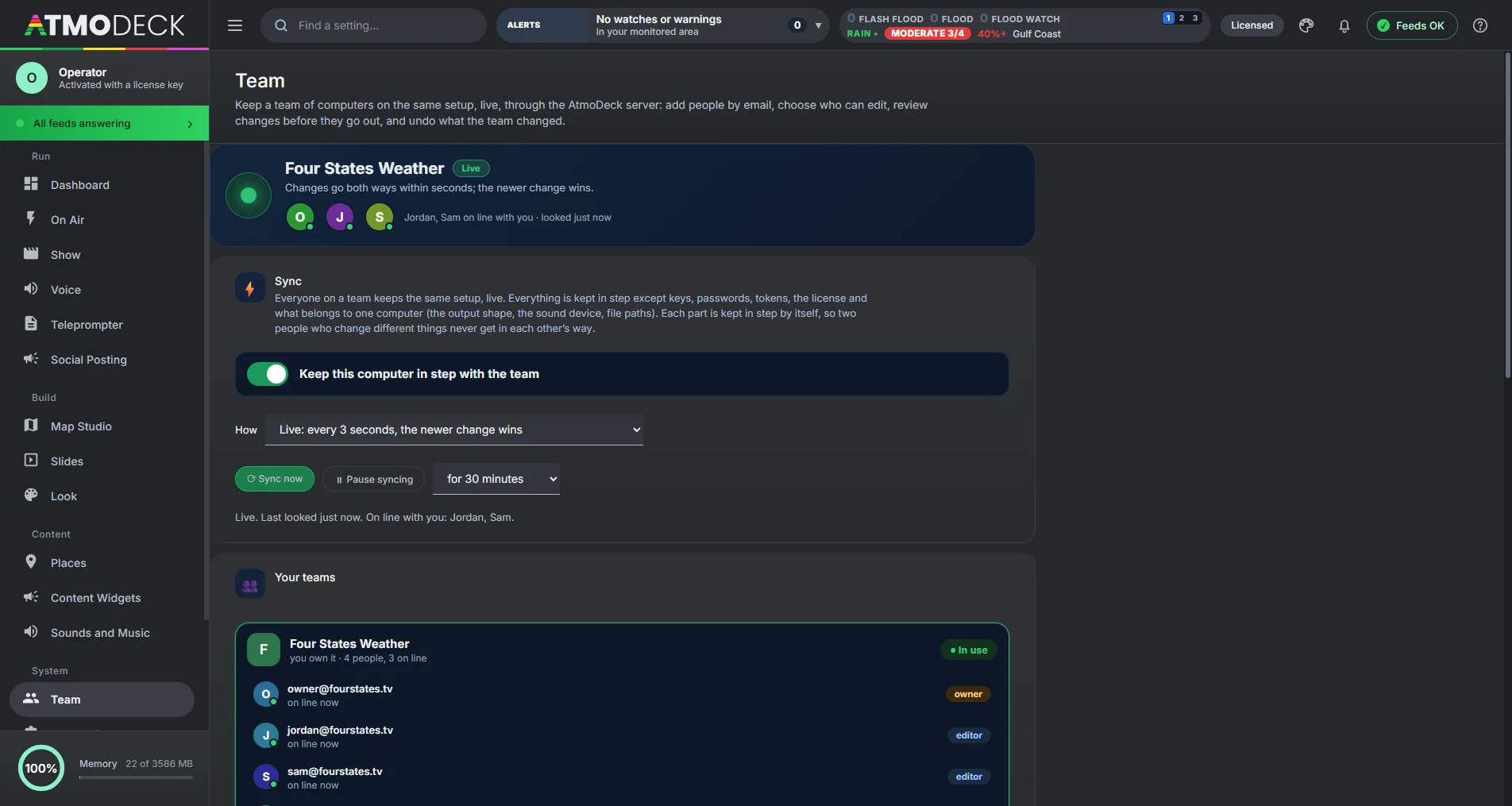
Team: whether you are in step at a glance, who is on line, each team with its people and what each can do (owner, editor or view only), what is kept in step, who changed what with Undo, and a Review way of syncing. The Desk notes card of the Dashboard becomes a live chat with the team.
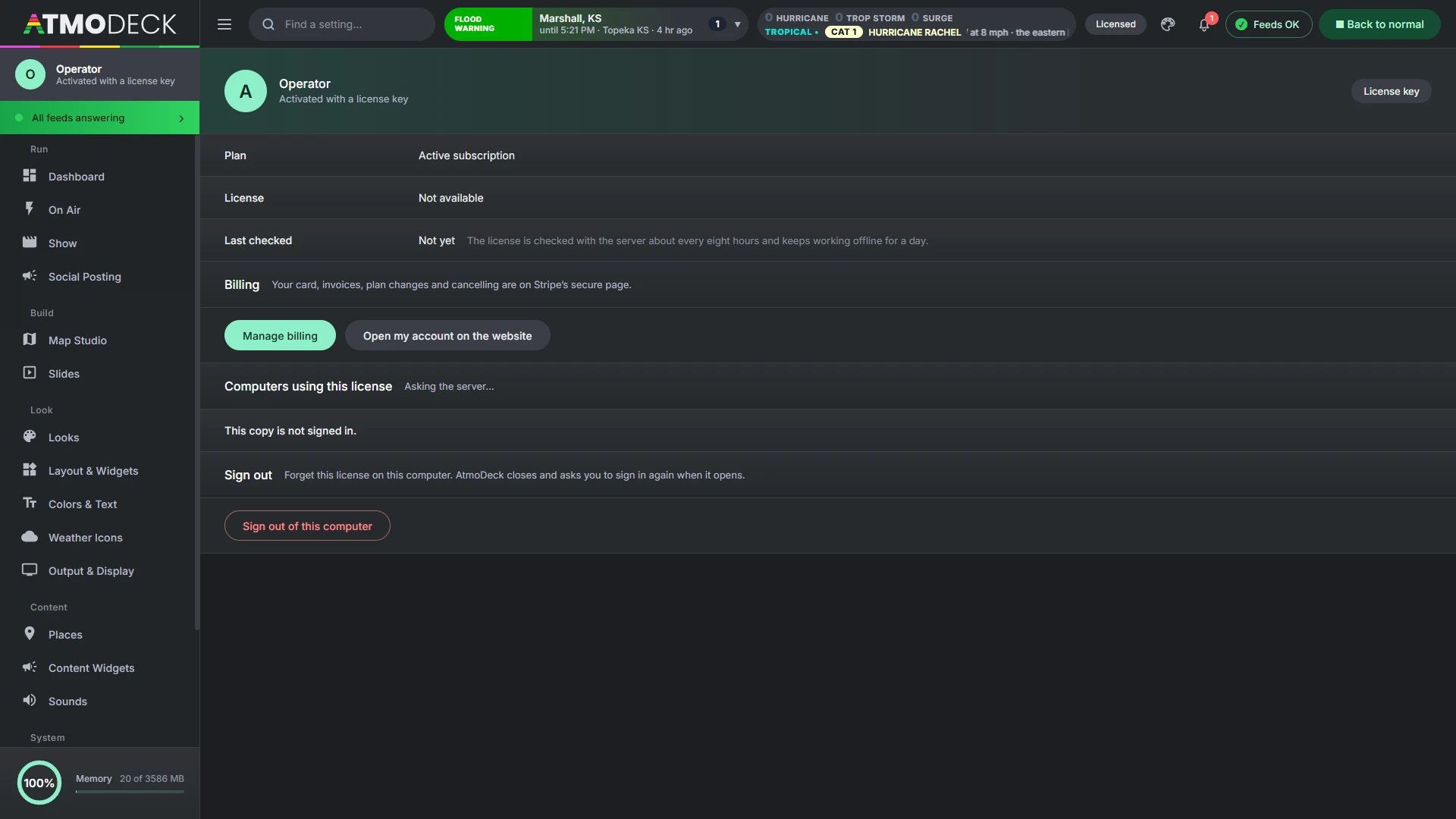
Account & billing: your plan, your machines, the next payment and a button to manage billing, opened from your name in the left menu.
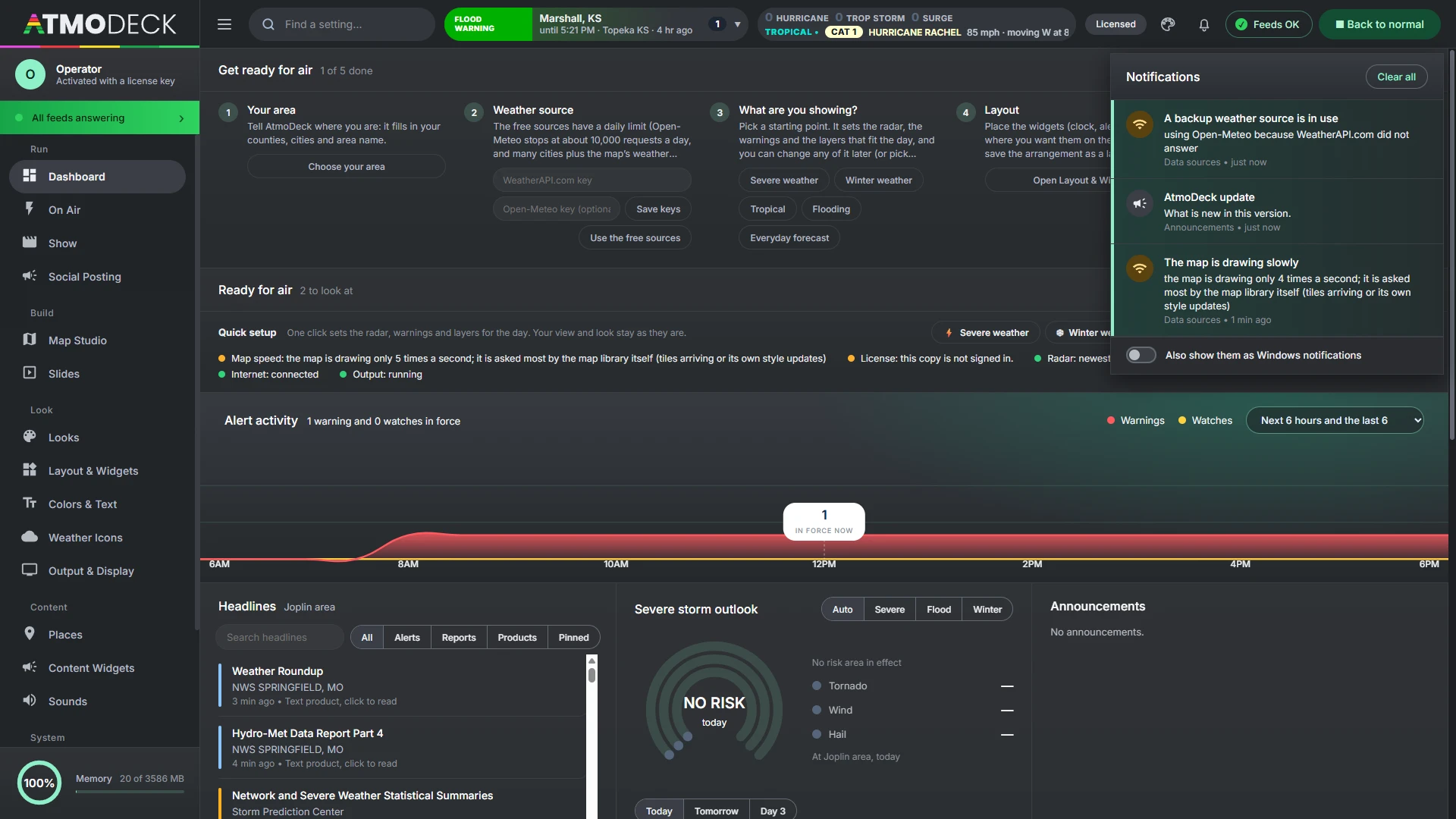
Notifications: the bell lists our announcements, updates, payment and account notices, a data source that stops answering and a freeze. Opening it marks them read, and each one opens the screen it is about. Windows notifications are optional.
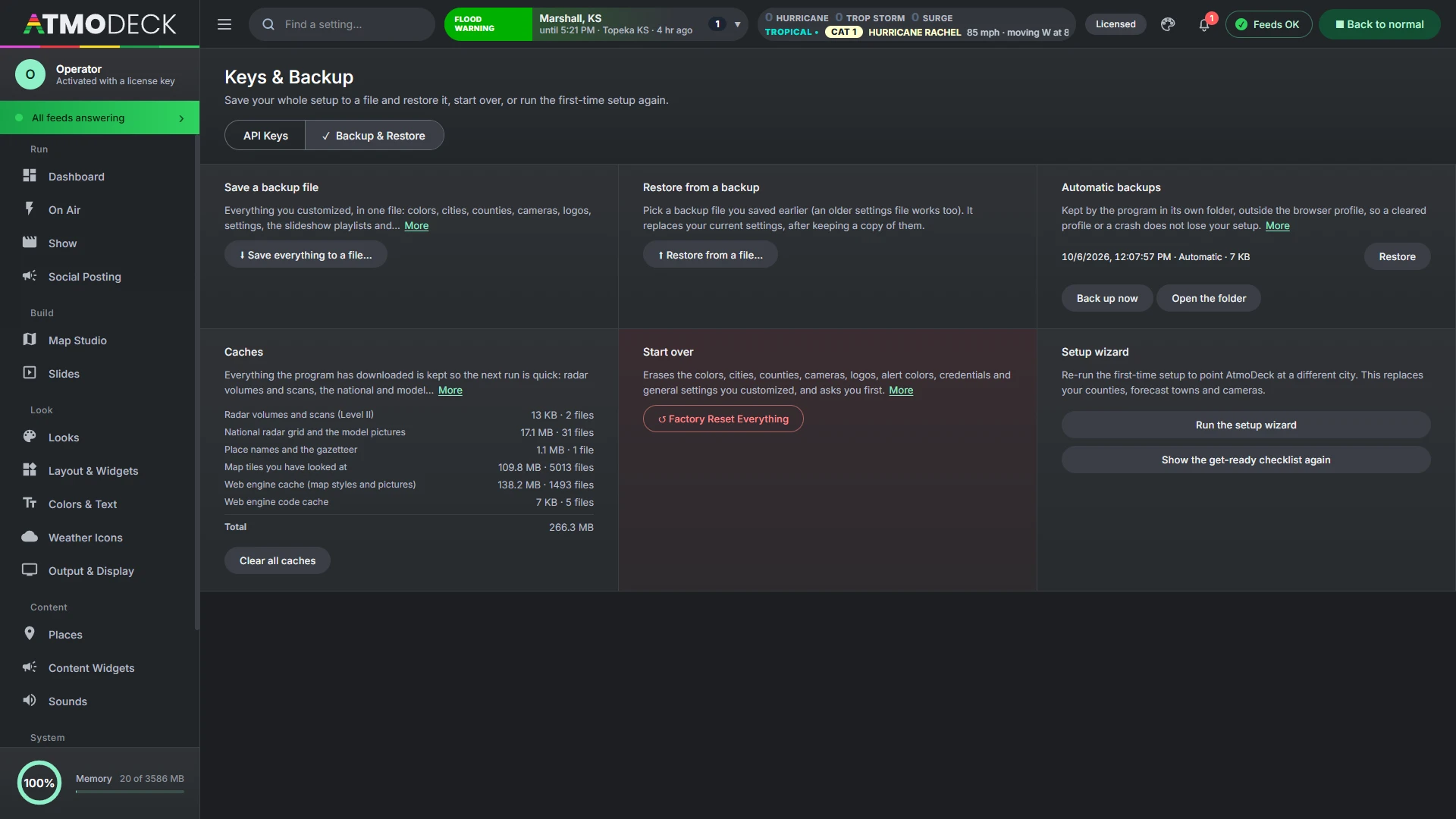
Keys & Backup: your own API keys, the automatic backups AtmoDeck keeps by itself with a list to restore from, saving everything to one file and restoring from it, factory reset and the setup wizard.
Practice a tornado warning. Then press one button.
The On Air page has threat, SPC and storm-report simulators that fire clearly marked test alerts on the real output, and end on their own after 20 minutes. Back to normal clears every rehearsal and override in one click.
- Layouts and alert bundles are one button each
- Force day or night, skip to the next city, hide alerts or the map
- Push a BREAKING message to the ticker, the lower third, or both
Run it from one window.
The full broadcast Console is included in Solo, Standard and Pro. Start a 7-day free trial and open it today.